
Objectives
We need our EdTech product to be fully accessible and responsive, not just to retire the iOS app and go browser-first, but primarily to better support the needs of districts and educators serving students and staff with disabilities. Accessibility gaps risked becoming a barrier to district-level sales, as some districts could not adopt the platform without confidence in its accessibility status.
The challenge was clear: the platform had gaps in accessibility, and we needed a roadmap that balanced speed, impact, and practicality.
My main goals:
- Audit the platform for accessibility gaps.
- Prioritize fixes based on usage frequency and clinical importance.
- Launch tablet and mobile support
- Develop a roadmap for full accessibility compliance (WCAG A and AA criteria, Section 508)
Impact
By the end of the project, the results spoke for themselves:
- Retirement of the iOS app because the website was finally responsive, moving the platform to a browser-first experience.
- Reduced purchasing friction for districts and educators serving students with disabilities, enabling adoption where accessibility had previously been a barrier.
- Created a replicable audit and fix process for ongoing updates.
- Engineers and designers became proactive accessibility advocates. They now spotted issues early, suggested solutions, and treated accessibility as part of everyday design and development decisions.
- Established a strategic roadmap to ensure incremental accessibility improvements continue across features and pages, embedding a culture of inclusion into the product.
Approach
I started by mapping all pages to audit and prioritizing them by importance. I set up a shared Asana board as a “living scoreboard,” showing progress and surfacing blockers.
I experimented with several tools: Arc Toolkit, Wave, Lighthouse, aXe DevTools, and SortSite. aXe DevTools became my companion.
Testing approach:
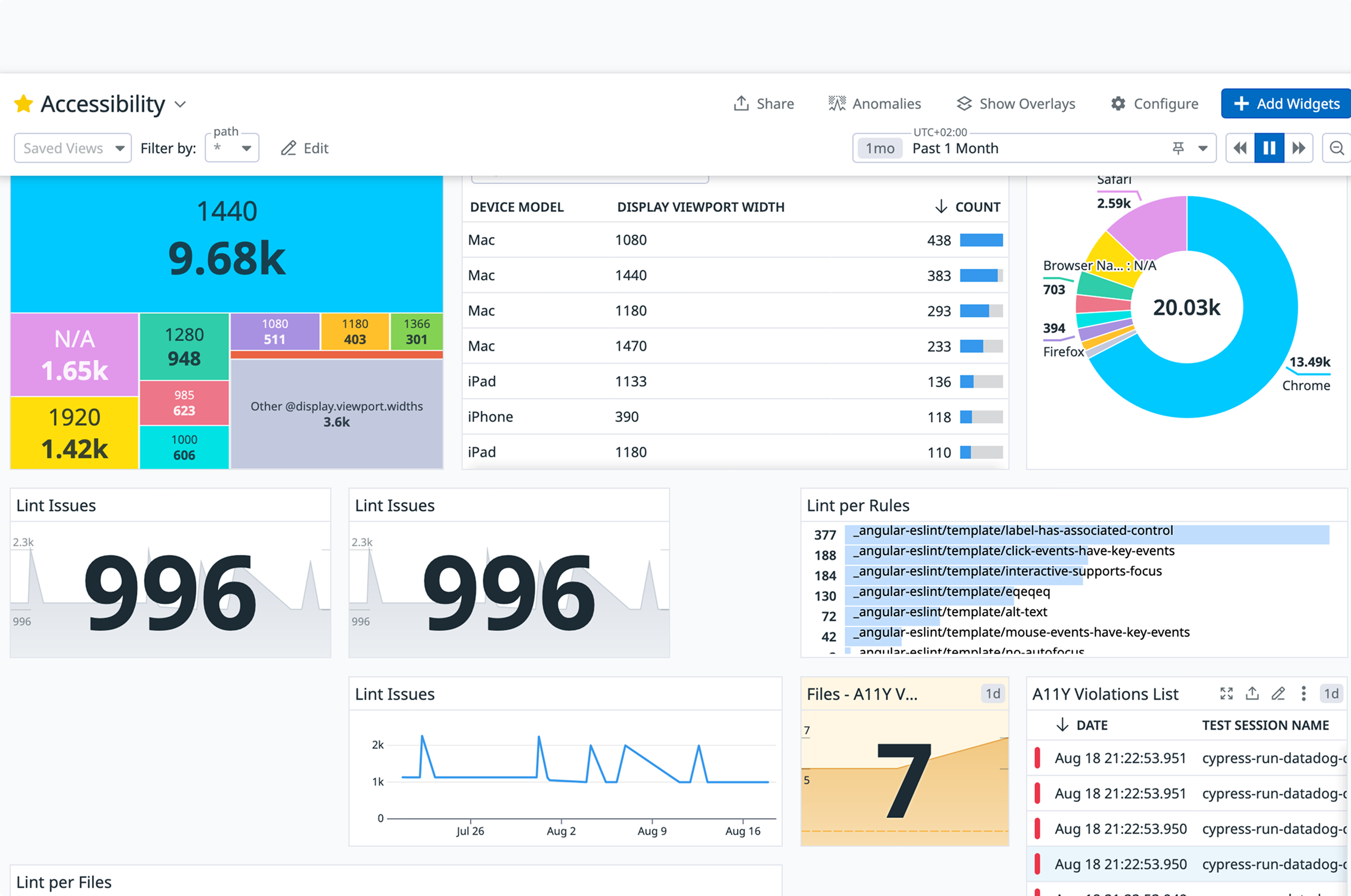
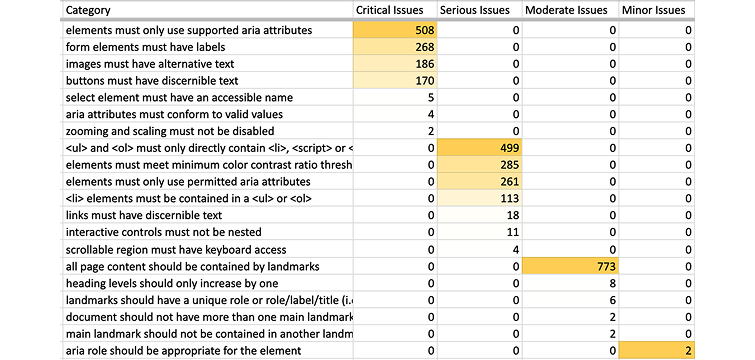
- Automated tests for A & AA criteria: just enough to get an overview of the most common offenders to create a roadmap to extensively audit and fix them. That surfaced the usual suspects: missing alt text, buttons without discernible labels, inconsistent headings and form inputs, low color contrast, incorrect ARIA attributes, broken keyboard navigation.
- Manual tests for responsiveness, mobile support, hover/focus content, and other accessibility criteria.
- Merged results into a single spreadsheet, categorized issues by frequency and severity.
I treated every failing element as a mini puzzle, figuring out not just what was wrong, but the smartest way to fix it in bulk across the platform.
Execution & collaboration
Fixing the mobile Achilles’ heel
Mobile was our weak spot. Dropdowns broke, datepickers glitched, modals went rogue. Typography and containers wouldn’t resize properly, and content often disappeared on smaller screens.
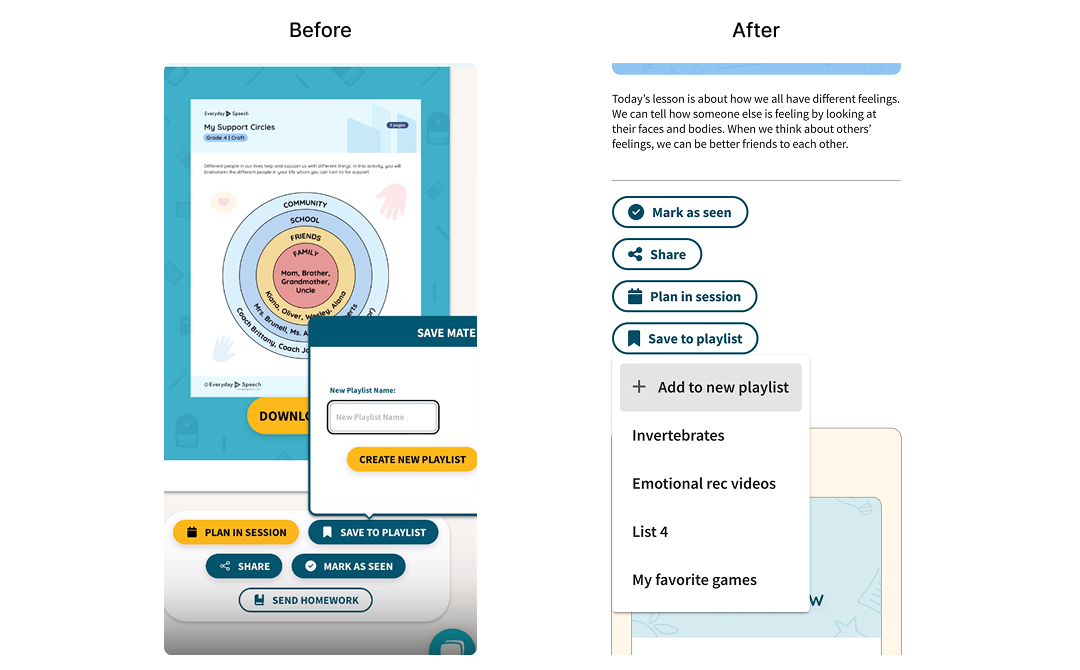
We started with some design system elements, patching components so fixes cascaded across pages. And also fixed the most critical pages in order of priority. It became a rhythm: fix once, benefit everywhere. I reviewed staging builds, caught regressions before launch, and partnered with another designer to create mobile-responsiveness specs that engineers could fold into their agile workflow.
Manual auditing
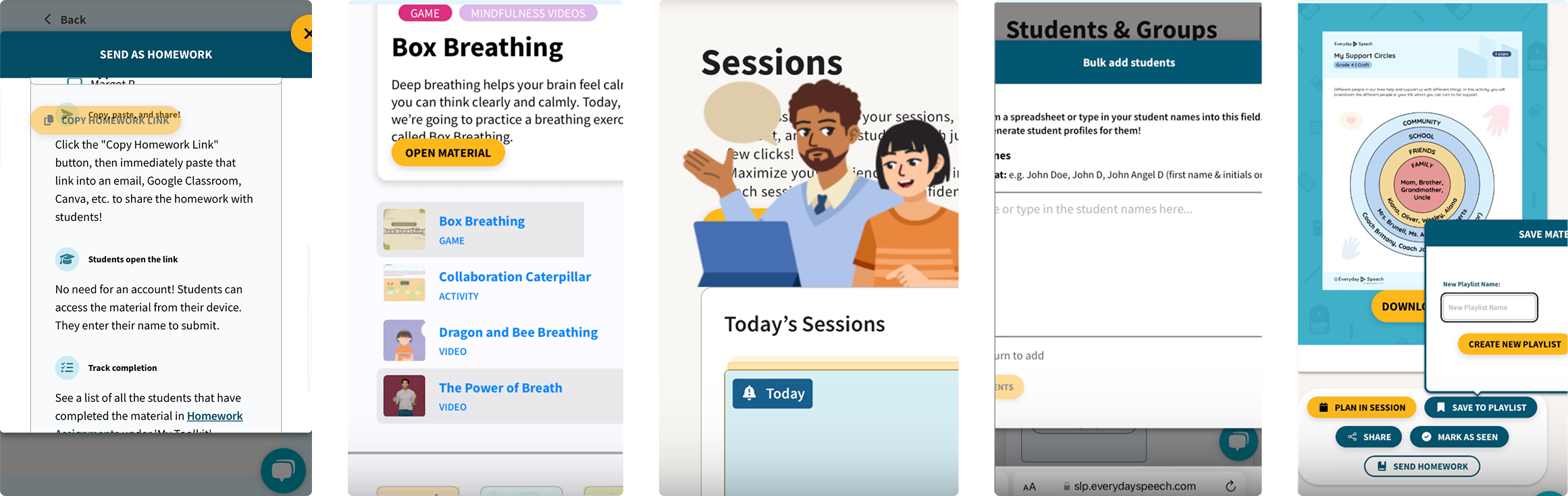
Did you know that automatic audits only catch about 30% of accessibility errors? That’s why I also ran manual checks for text resizing, container reflow, hover/focus states, and screen reader behavior. Every issue got an Asana ticket, tracked to completion. High-impact fixes went first, while trickier ones landed in the backlog. Over time, small corrections snowballed into better platform stability.
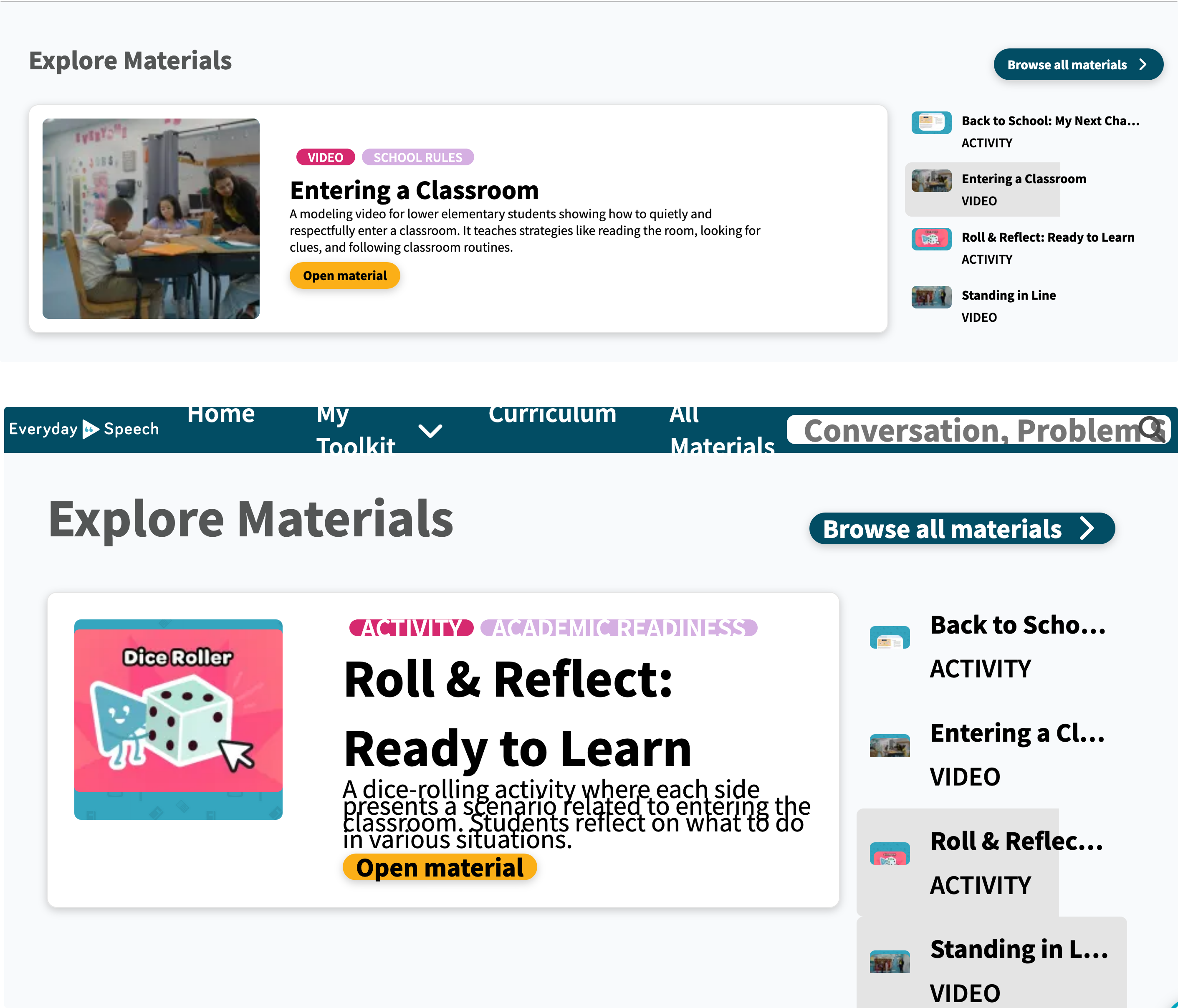
Example: resizing the text to 200% led to loss of content and a bad UX.
Collaboration in practice
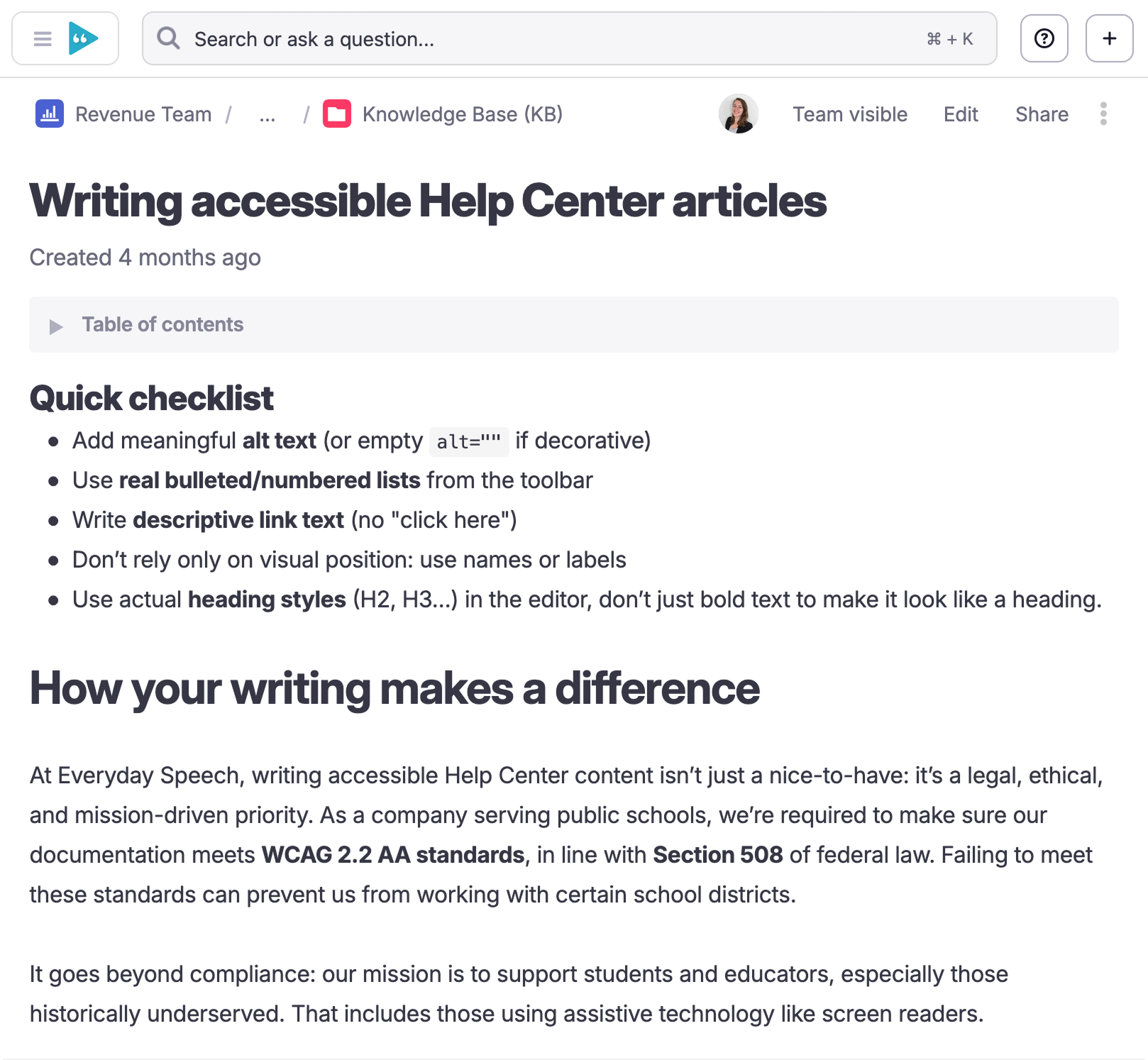
I helped build a shared language around accessibility. I coached designers and engineers, turning accessibility from “compliance” into problem-solving. Iterative updates made improvements scalable. Frequent check-ins turned knowledge-sharing into habit. Support teams joined in too: together we reviewed Help Center articles, training materials, and support flows to make sure accessibility extended beyond the product itself, and that people remembered the end goal was to support people with disabilities.
Operationalizing accessibility
We made accessibility part of the way we worked, not an afterthought. Automated checks and designer annotation toolkits gave us guardrails. Engineers and designers began flagging potential issues before they reached me. New features and redesigns, from student profiles to modals, are now aiming to be launched with accessibility baked in. The intention is to make our product accessible to people with disabilities by default make large retrofitting projects become unnecessary in the future, because improvements will already be folded into the process.